 Admino
Automatic Subtitle App for Android and iPhone: 30 Days Free
If you search for “free automatic subtitles”, you probably want two things: a video whose speech is written out automatically and correctly, and a way to try it without paying. Before anything else, here is exactly what Admino gives free and what it does not, so there are no surprises after you install.
The short answer: there is no permanent free plan. Each phone number gets one 30-day period with every Admino feature, with no bank card, and during those 30 days Zirnevisino, Admino’s automatic subtitle app, works with the Monthly plan’s 60-minute allowance. After 30 days you need a subscription to continue.
Exactly what is free
- Duration: 30 days from the moment the phone number is verified, once per number.
- Bank card: not needed, and nothing renews or is charged automatically.
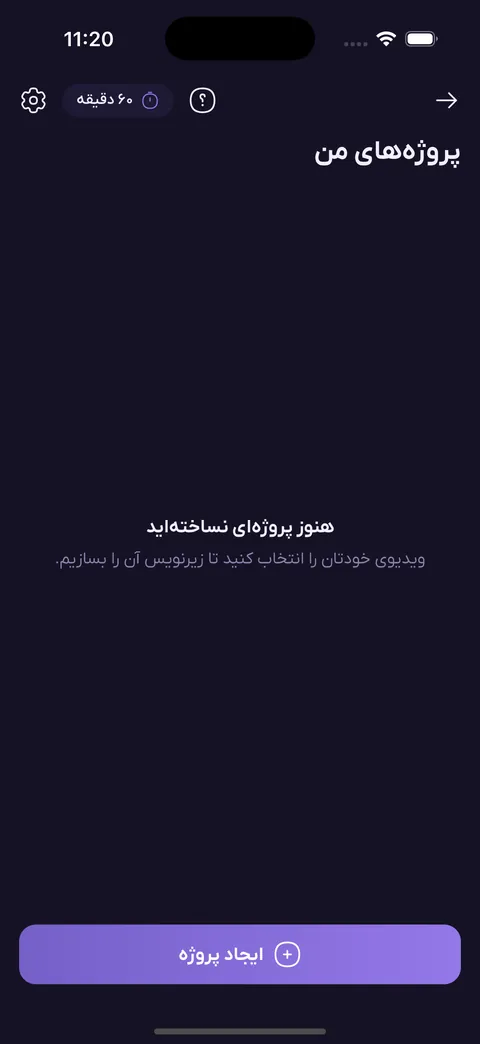
- Subtitle allowance: 60 minutes, the same as the Monthly plan.
- Features: all of them, with no cut-down version or locked templates.
- After 30 days: creating new subtitles stops, and your earlier projects and files are not deleted; you continue by subscribing.
We say this plainly because in this field “free” often means exports stamped with the app’s logo or very few minutes. Admino puts no logo on your video; only if you write watermark text yourself does that text appear.
How much video are 60 minutes
Each video is rounded up to the next minute and counts as at least one minute. A 45-second reel therefore uses one minute of your allowance, and a video of 2 minutes 10 seconds uses three. At that rate 60 minutes is about 60 short reels or 20 two-minute videos. If subtitle creation fails, no minute is deducted.
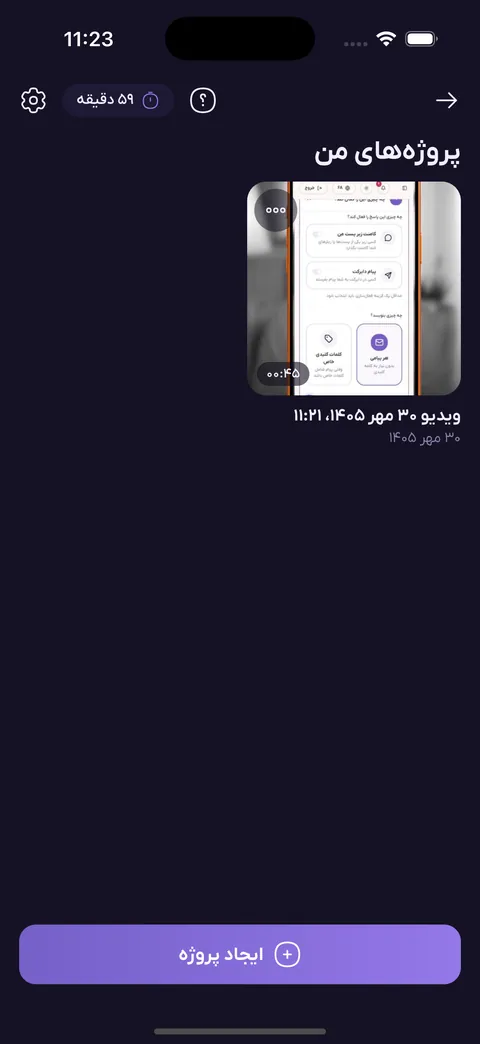
The maximum length of one video is 10 minutes. Trim a longer video in your phone gallery first and subtitle it in parts. If you need more than 60 minutes a month, you can buy bundles of 30, 60 or 120 minutes from your wallet.
Which phones it works on
Zirnevisino is inside the Admino app, in the Studio section. On Android 7 and above it installs from the download page. On iPhone (iOS 17 and above) it installs through Sibapp; creating and exporting the video happens on the phone itself. The Admino web panel only lists projects and downloads SRT files; video is not made there.
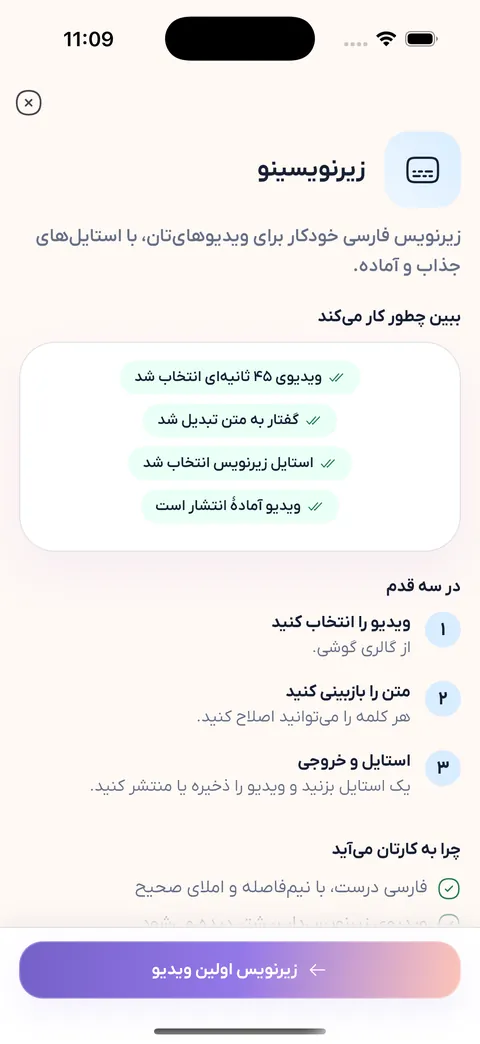
How automatic Persian subtitles are made
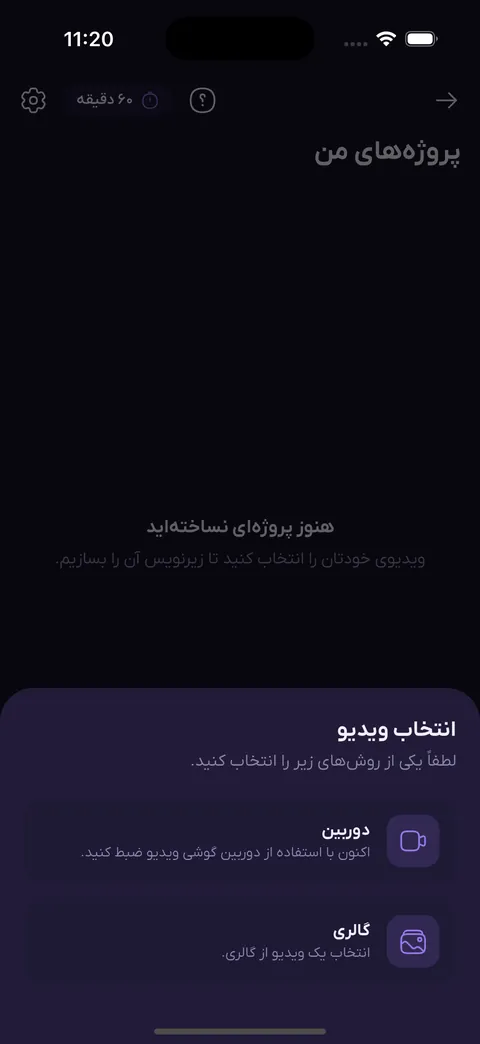
You pick a video from the gallery or film one right there. Only the audio of the video is sent for speech recognition; the video itself is not uploaded and stays on your phone. The AI turns speech into text with the timing of every word, and then the Persian text is tidied: the half-space, Persian forms of “ye” and “kaf”, and, if you want, punctuation and conversion from spoken to written style.
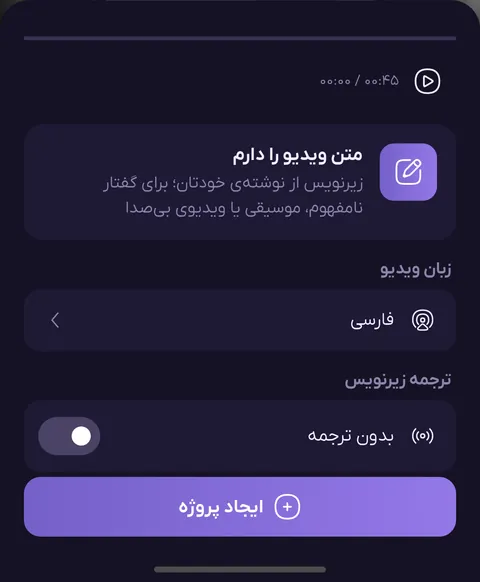
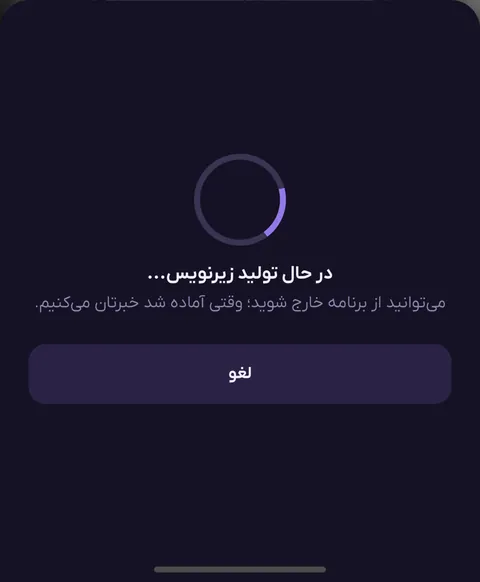
Other languages are supported too: Persian and about 60 other languages with automatic language detection, plus subtitle translation. If your video contains a brand name or special word that speech recognition does not spell correctly, write it once in “brand words” and it will come out right in every video.
Editing, templates and export
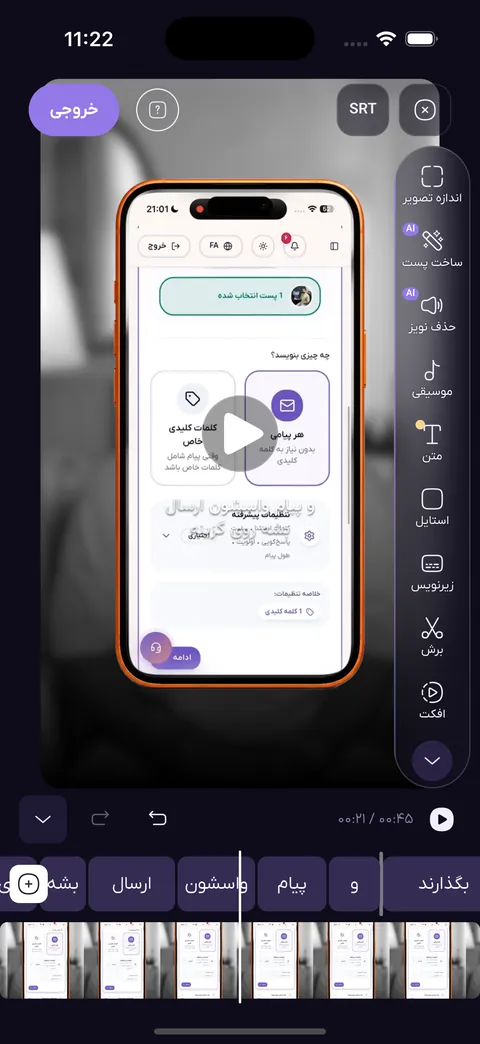
- Word-by-word editing: tap any word to change its text or timing; search and replace and undo are included.
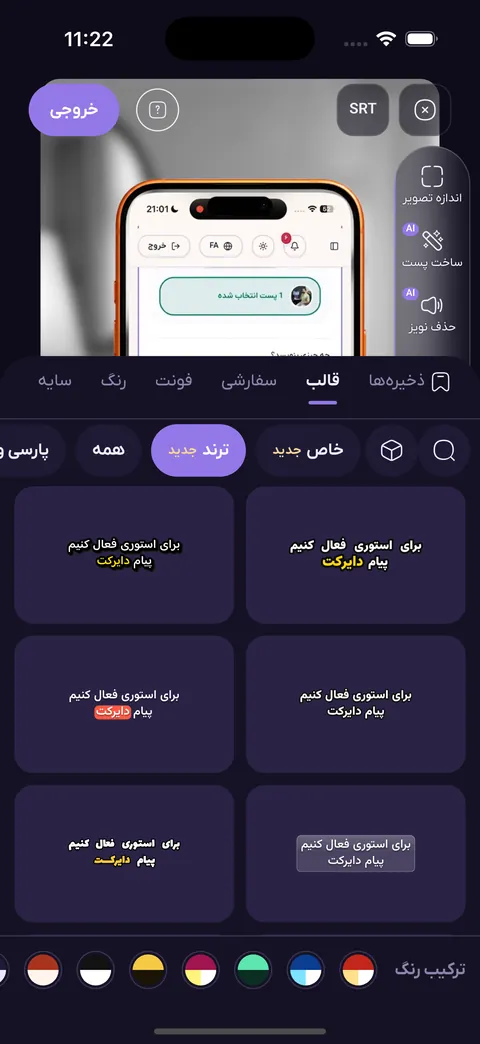
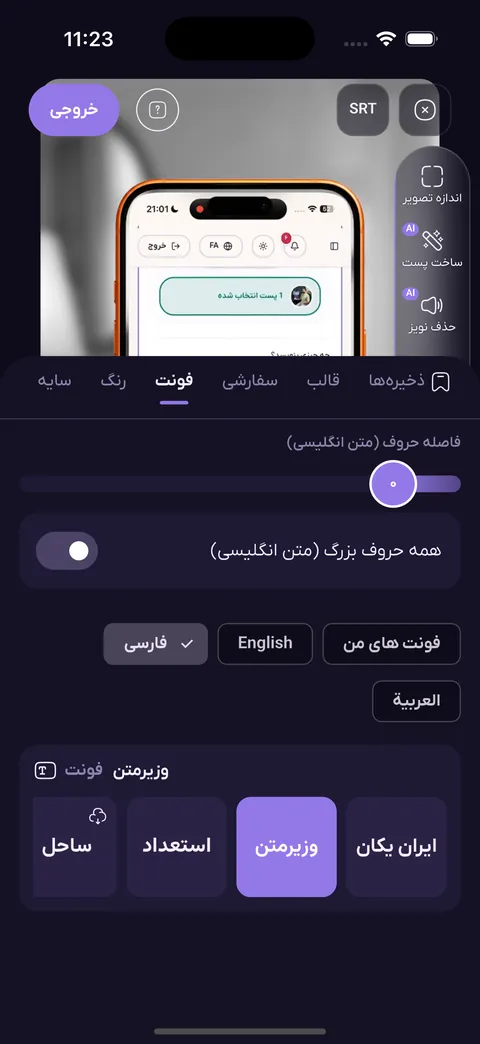
- More than 100 animated templates, from plain to neon and retro and trending Persian looks; the word being spoken takes a colour or grows.
- Three line layouts: balanced, flowing and energetic, without spending minutes again.
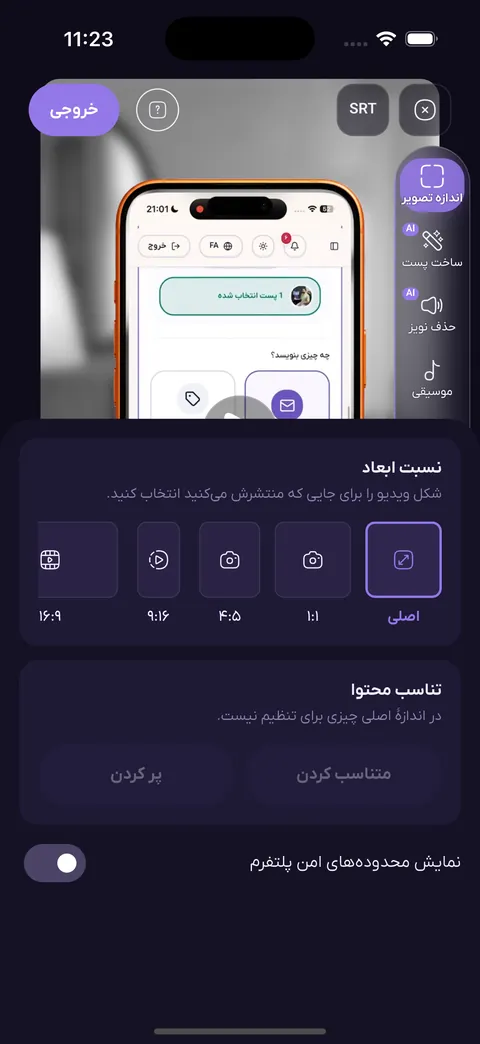
- Sizes: square 1:1, vertical 4:5, reels and stories 9:16, YouTube 16:9 and the original size, with safe areas shown.
- Removal of pauses and filler sounds, and finding strong clips in a long video.
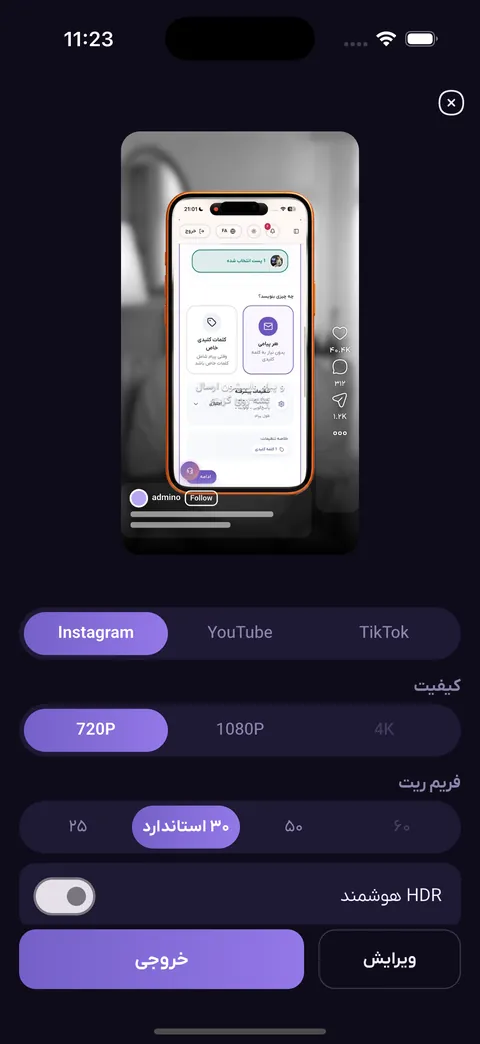
- Export at 720p, 1080p or 4K on the phone, plus SRT and ASS files.
What to judge in any automatic subtitle app
Before choosing any app, ask a few simple questions and test the answers inside the app, not in its advertising:
- Give it one real video of yours with half-spaces, numbers and a brand name; read the output word by word.
- See whether fixing one word is easy or whether you must rebuild the whole subtitle.
- See exactly how many minutes are free and what the price is afterwards.
- See whether the export has a logo, a watermark or a quality limit.
- See whether your video is uploaded or only its audio.
Your first subtitle in five steps
- Install the Admino app and sign in with your phone number; the 30-day trial starts automatically.
- In Studio, open Zirnevisino and choose the video from the gallery.
- Choose the language or leave it on automatic detection, and wait for the text.
- Fix any wrong words and pick a template.
- Choose size and quality, make the video and post it to reels or stories.
Frequently asked questions about free automatic subtitles
Are Admino’s automatic subtitles free?
There is no permanent free plan. Each phone number gets a 30-day full free subscription with 60 subtitle minutes, with no bank card. After that the Monthly plan is 963,000 toman and the annual plan 7,963,000 toman.
Is there an automatic Persian subtitle app for iPhone?
Yes. The Admino app for iOS 17 and above installs through Sibapp, and Zirnevisino has the same features as on Android. Creating subtitles and exporting video happen on the phone.
Is my video uploaded?
No. Only the video’s audio is sent to create subtitles, and the subtitled video is made on your own phone.
What is the maximum video length?
Each video can be at most 10 minutes. Trim a longer video first. Each video is rounded up to the next minute and counts as at least one minute.
Does the export have a watermark?
Admino puts no logo or mark of its own on your video. Only if you write watermark text yourself does that text appear in the corner.
Can I get an SRT file?
Yes. Besides the subtitled video you get SRT and ASS files, and in the web panel you can download the SRT of your projects.
Zirnevisino: automatic subtitles
Turns a video's speech into Persian or English subtitles, with animated styles, word-by-word editing and export on the phone itself.
Explore this featureReady to get started today?
Connect your Instagram account and let Admino handle your DMs, comments, and publishing.
See pricing